

Product designer | 2022-2024 | Web app | SaaS product | UX/UI design
Swyvl is a web-based SaaS platform that allows users to build, share and control 3D spaces by importing 3D content and combining it with data from various sources.
I focused on agile-based, iterative UI/UX design, building a scalable design system, and supporting developer handoff.
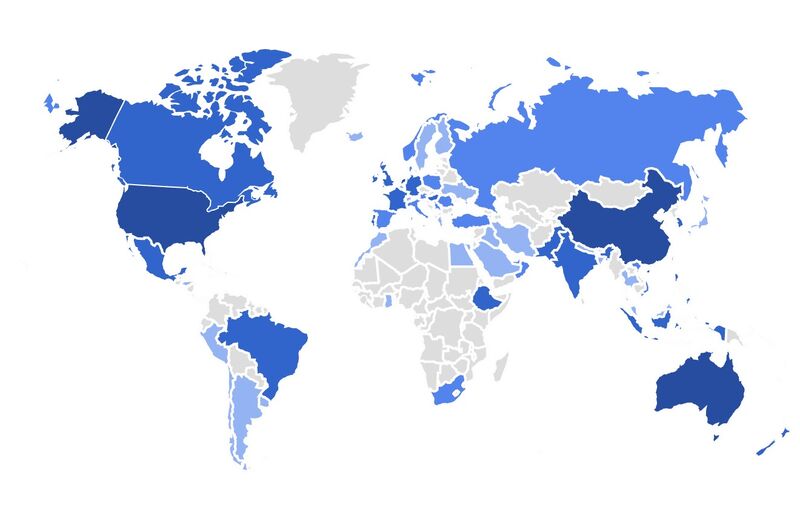
Swyvl now has an active user base that expanded globally by late 2025.
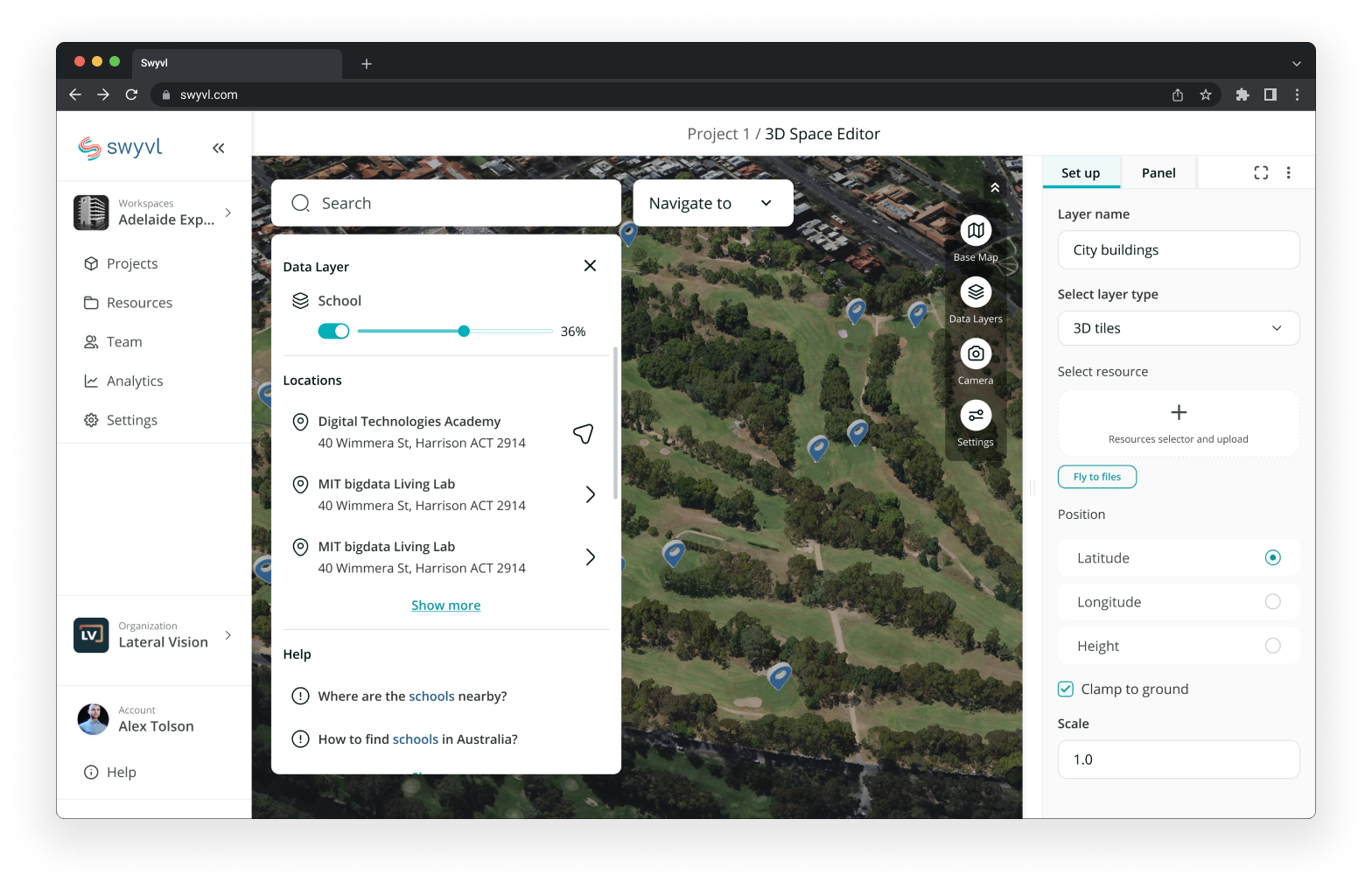
Many industries are witnessing a rising demand for 3D technology, especially in showcasing products and commercial spaces using AR and VR devices. However, the existing software options for creating such 3D spaces are either overly complicated or insufficient, hindering collaboration and resulting in complex projects that are difficult to build, share, and control.
Focusing on building a SaaS platform that enables users to create 3D model viewers for their website. Build, share, and control in one place.
Our focus is to make 3D spaces collaborative and user-friendly, allowing everyone and everything to be seamlessly integrated into 3D environments.
%201.png)
• Designed to facilitate collaboration, allowing multiple users to work together to build and modify 3D spaces
• Manage content in one place, share between multiple projects and teams
• Integrate data from different sources
• Embed 3D models onto your website and view them using Augmented Reality
• Build 3D spaces using satellite, plane, drone, or illustrated maps as the base layer, and add additional data points through hotspots
Feel free to check out the product demo by clicking the link below:
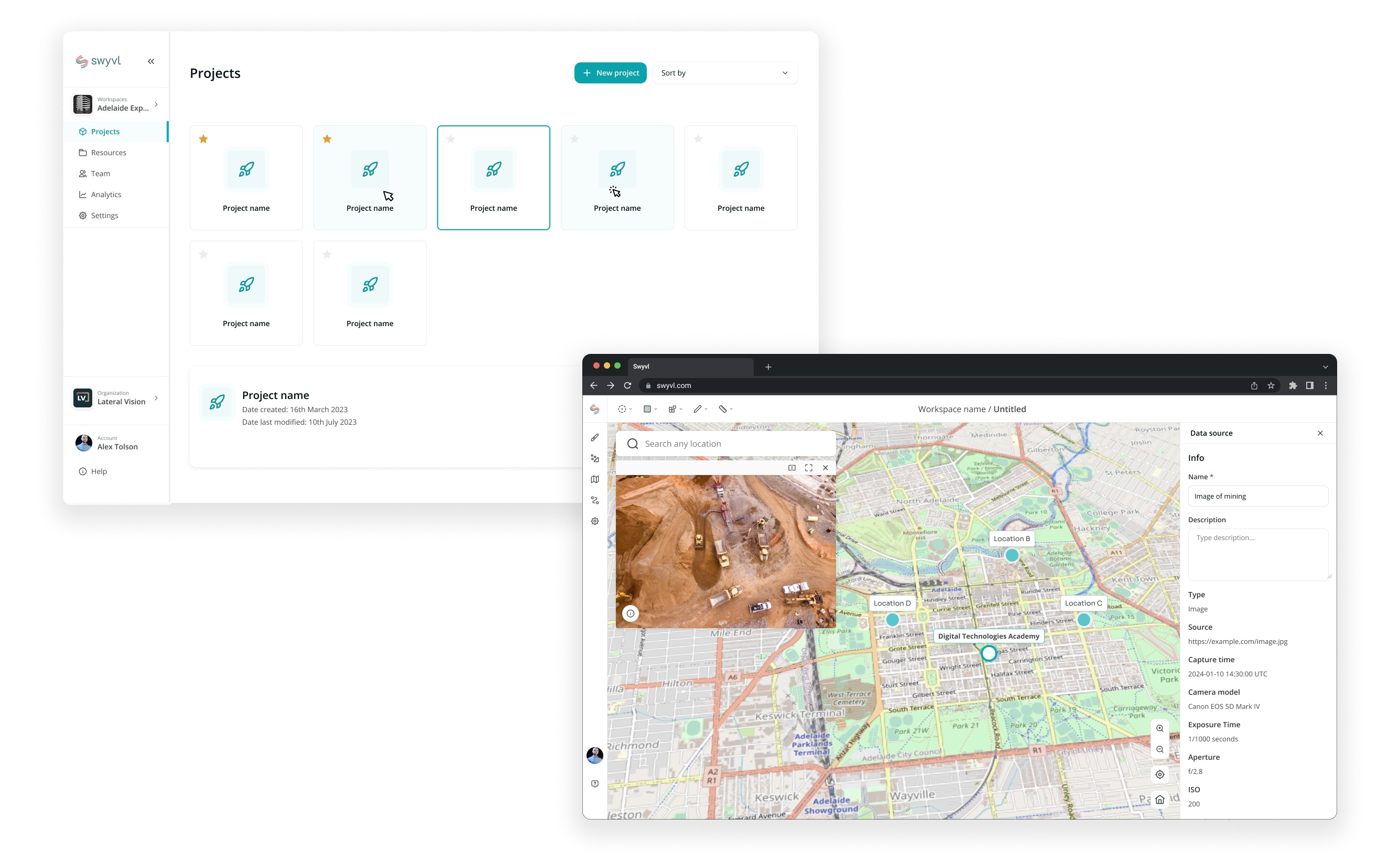
*Swyvl project dashboard & builder view
By late 2025, Swyvl’s active user base had expanded globally. Below is an “Active users by country” snapshot from Google Analytics.
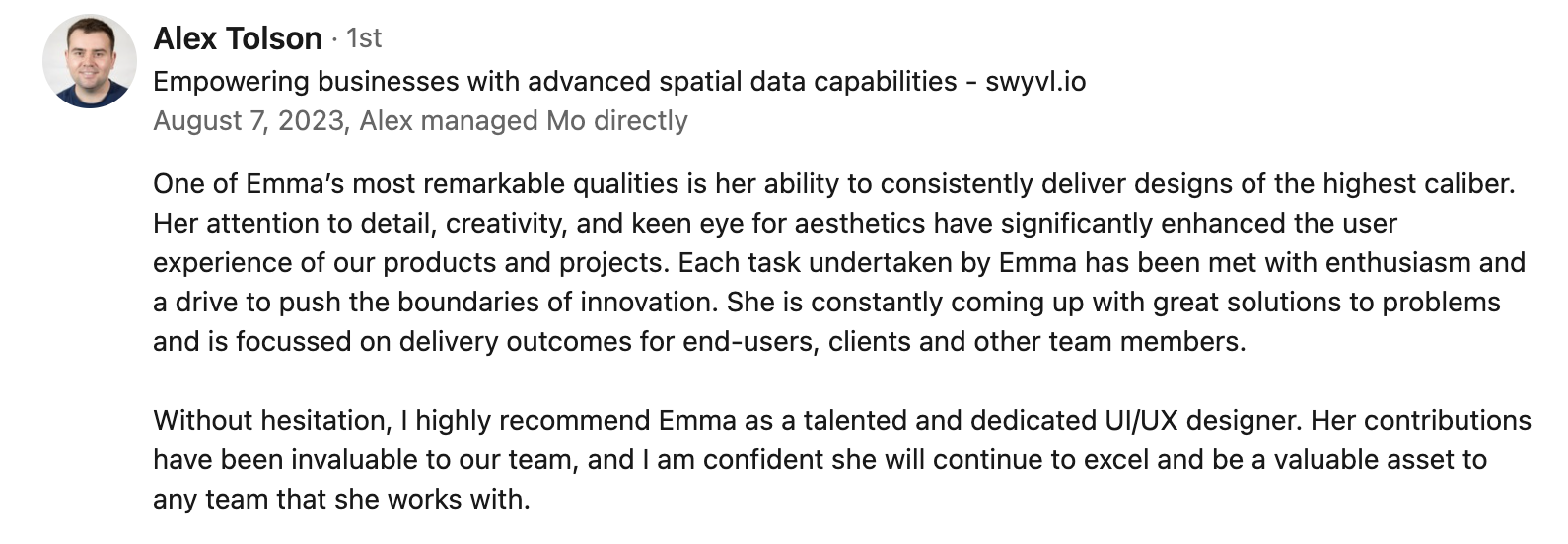
The founder and CEO of Swyvl, Alex, was pleased with the work and shared the feedback below.
Emma is a very talented UI/UX designer and all of her work has been outstanding, and we are truly fortunate to have her on our team. Emma's dedication to excellence, user-centric approach, creativity, efficiency, and a collaborative spirit make her a key asset to our team. We look forward to continuing to work with her." - Alex
Internal team feedback from sprint retrospectives
"Emma's designs made it easy to do"
"Emma's UI design of the Builder was really quick"
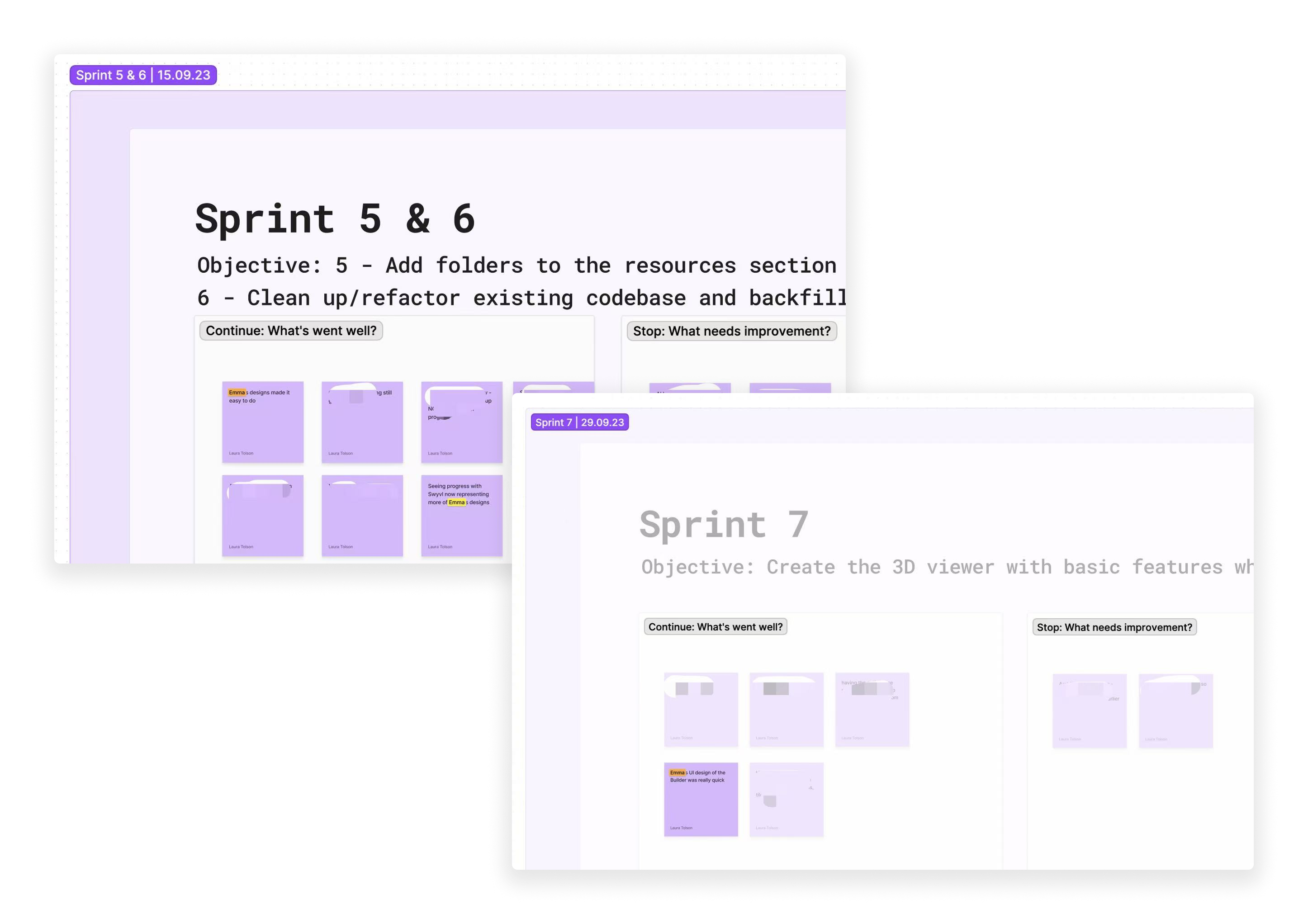
Agile SDLC Methodology
Customized Daily Stand-up (Weekly Stand-up for my role)
Communication on Slack
Collaboration on Miro and Figma
Project Management on ClickUp
Documentation on Notion
Resource Management on Google Drive
Meetings on Google Meet
In terms of design, I typically handle two types of workflow: Wireframe → Revision → UI, and Existing product → Revision → UI.
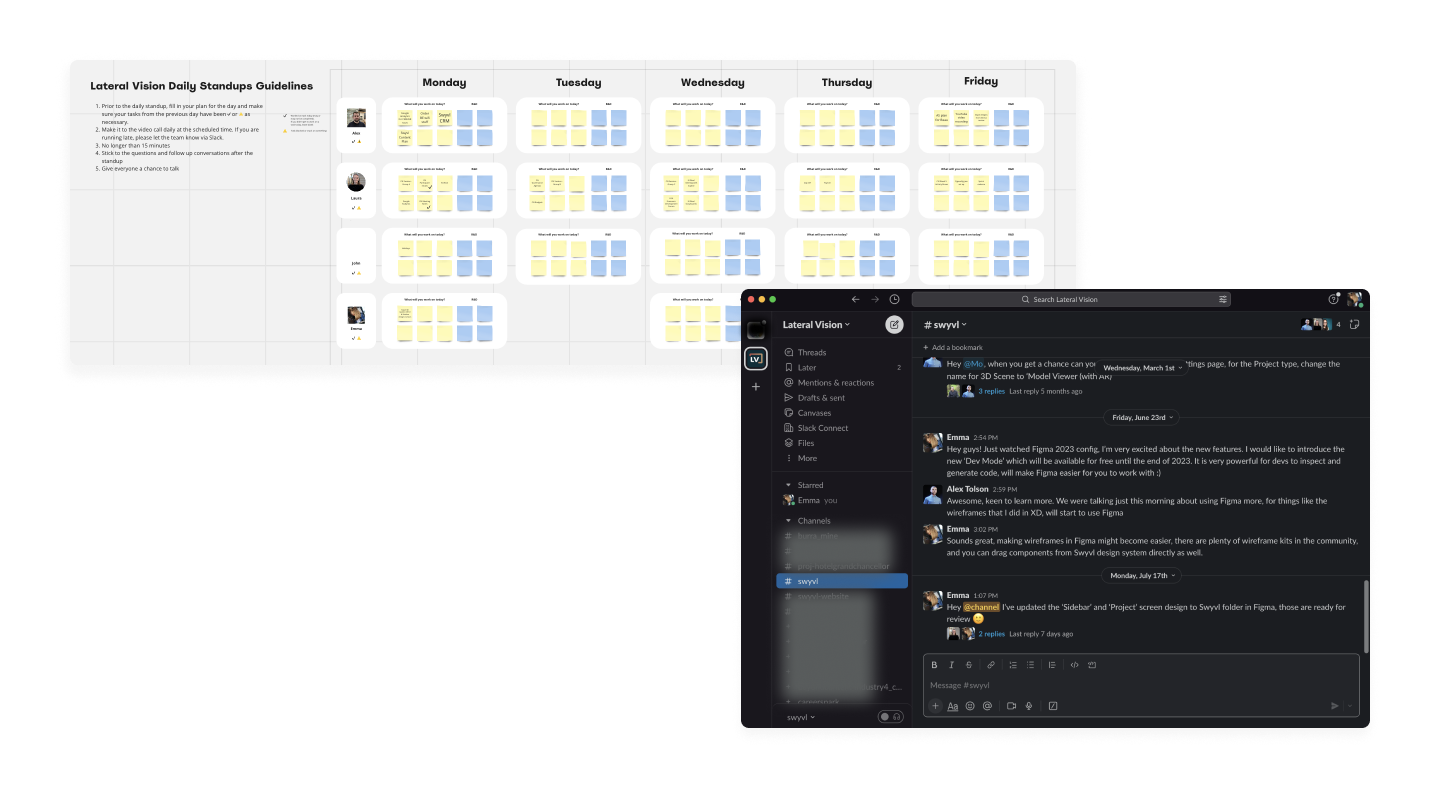
*Swyvl team's Miro board and Slack channel
Phase 1 focused on refining the existing UI and improving the 3D model configuration experience.
When I joined the team, Swyvl was looking for a UI refresh to improve visual consistency, usability, and brand alignment. I redesigned key areas of the product and established a scalable design system and branding guidelines to support ongoing development.
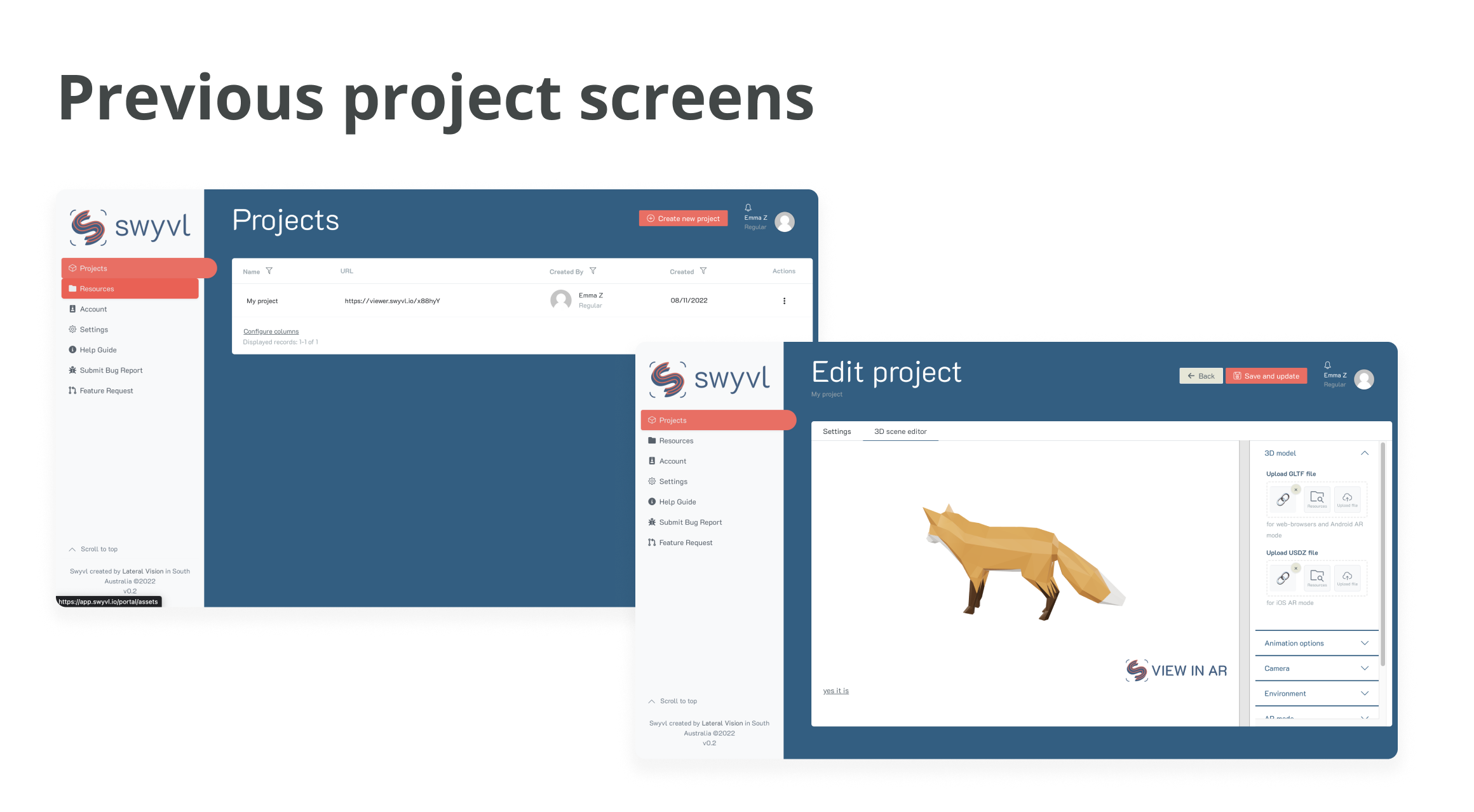
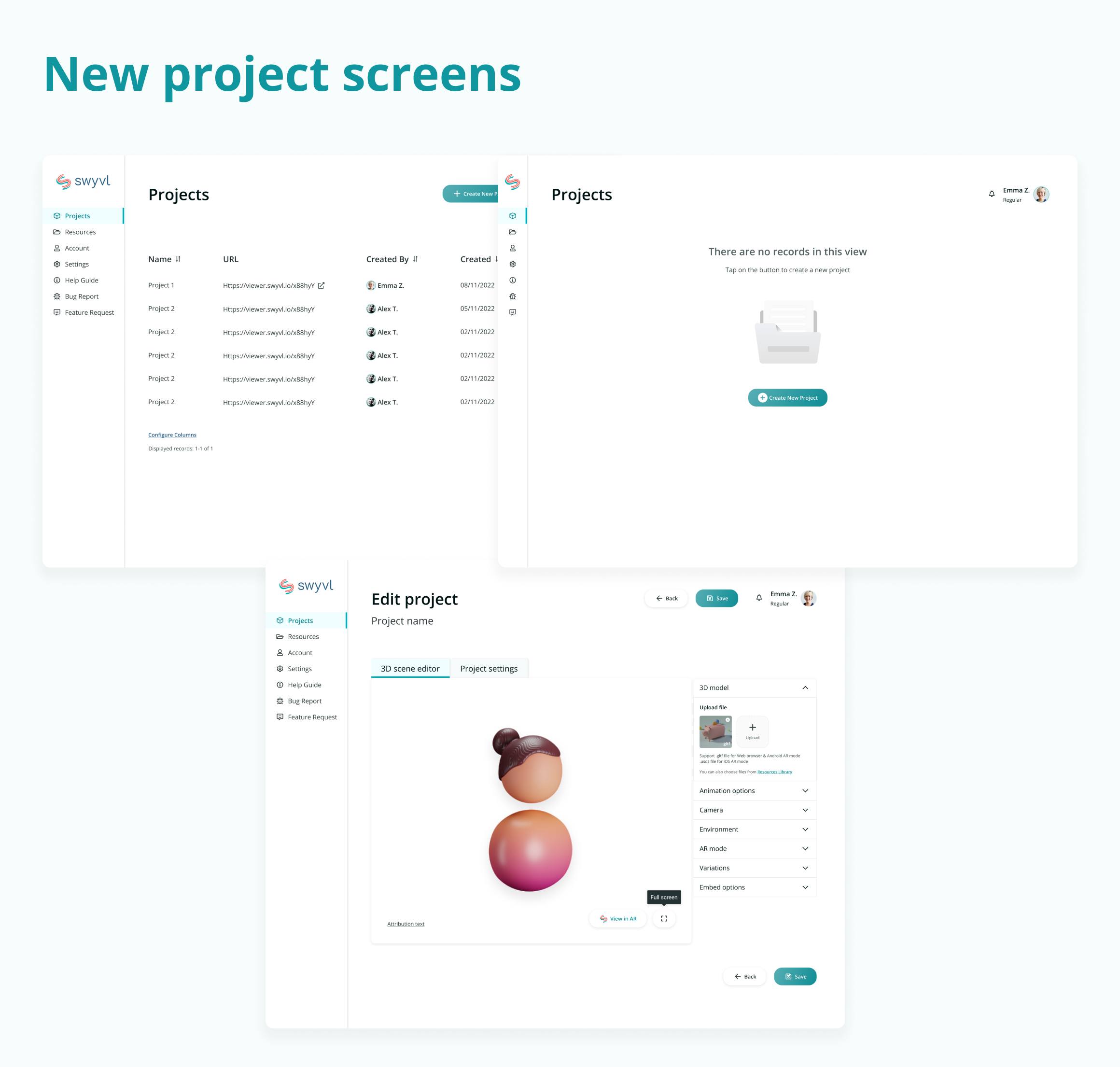
At this stage, Swyvl was primarily centred around creating and configuring 3D models. The main design challenge was making complex 3D controls intuitive and easy to use. I explored and iterated on different configuration patterns to improve clarity and interaction.
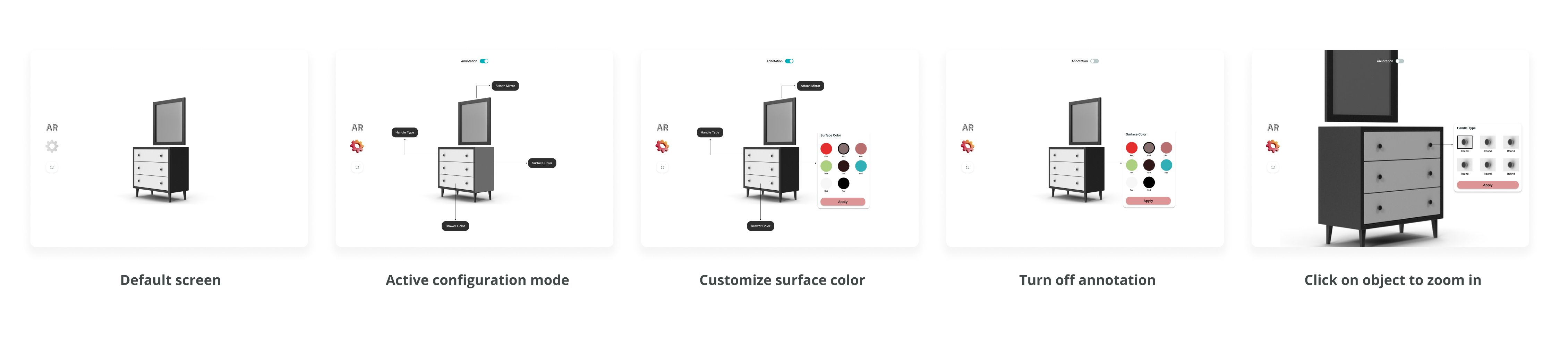
*3D configuration design
With the foundation in place, the team decided to move beyond standalone 3D model services and expand Swyvl into 3D spaces.
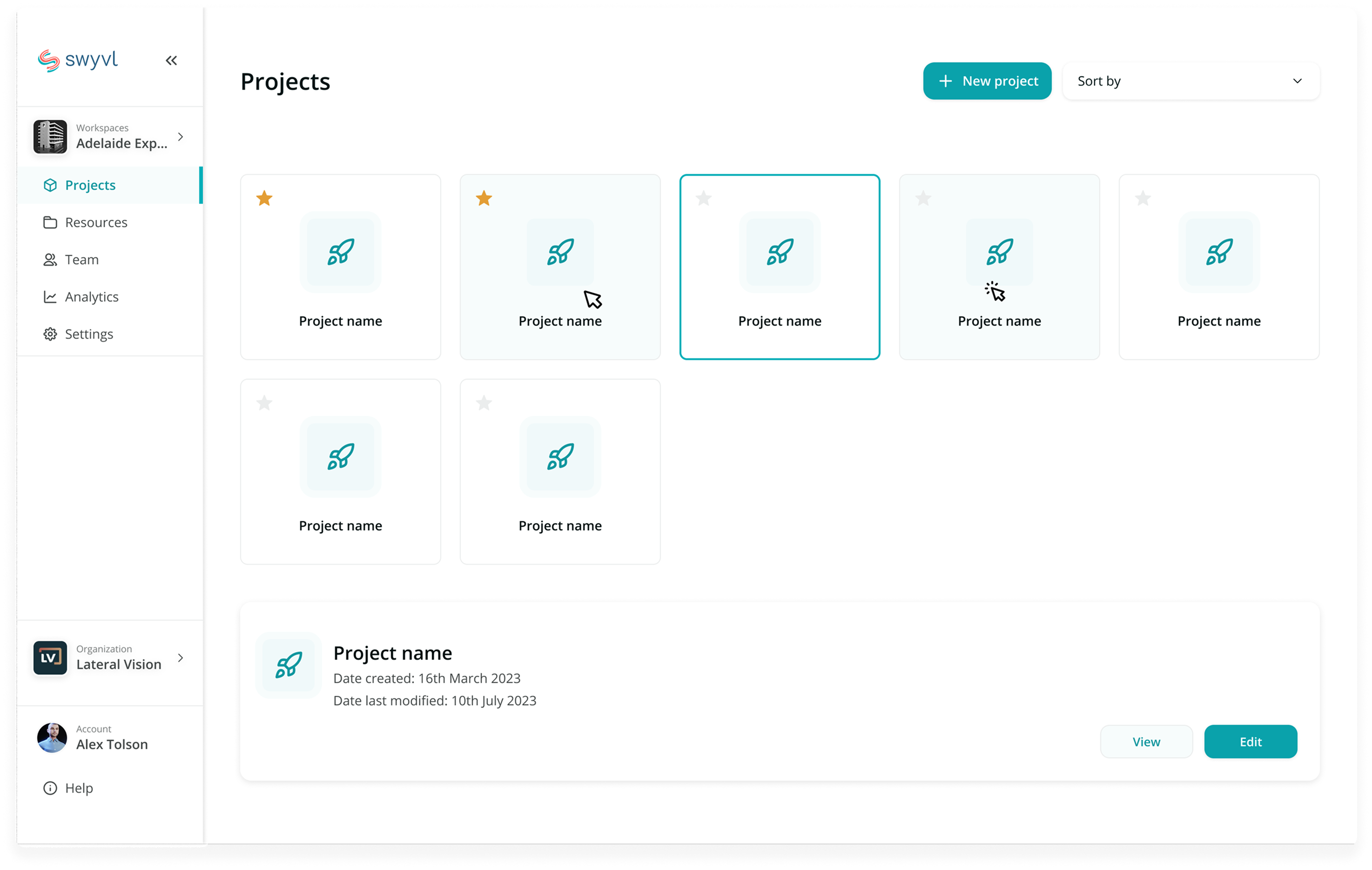
Phase 2 focused on enabling collaboration and making 3D environments easier to work with across teams. As the product grew to support multiple users, organisations, and projects, more structural changes were required.
This led to the introduction of workspaces as a central layer for managing 3D spaces, people, and assets, shaping the direction for the rest of the product.
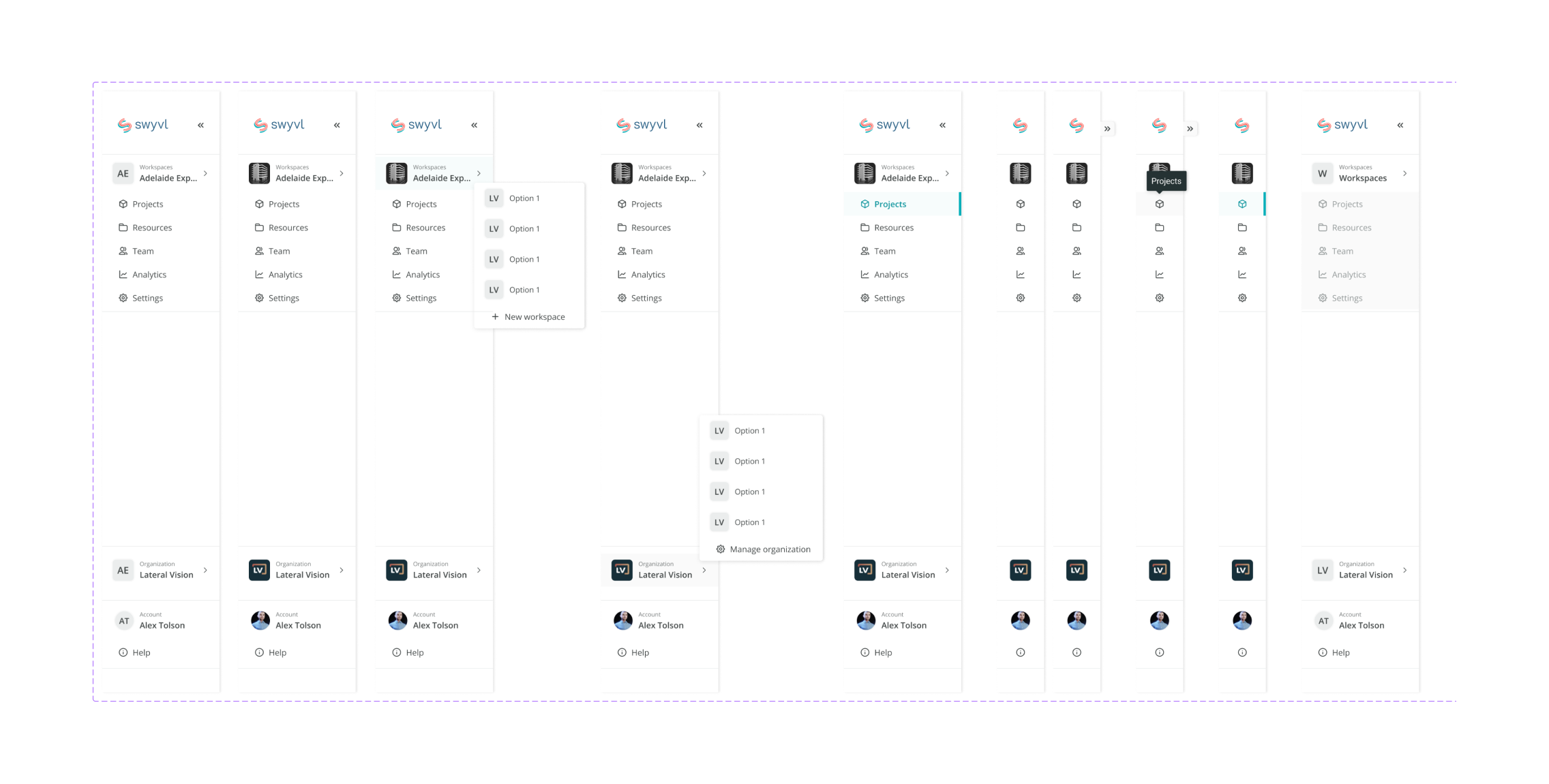
*Sidebar component variants
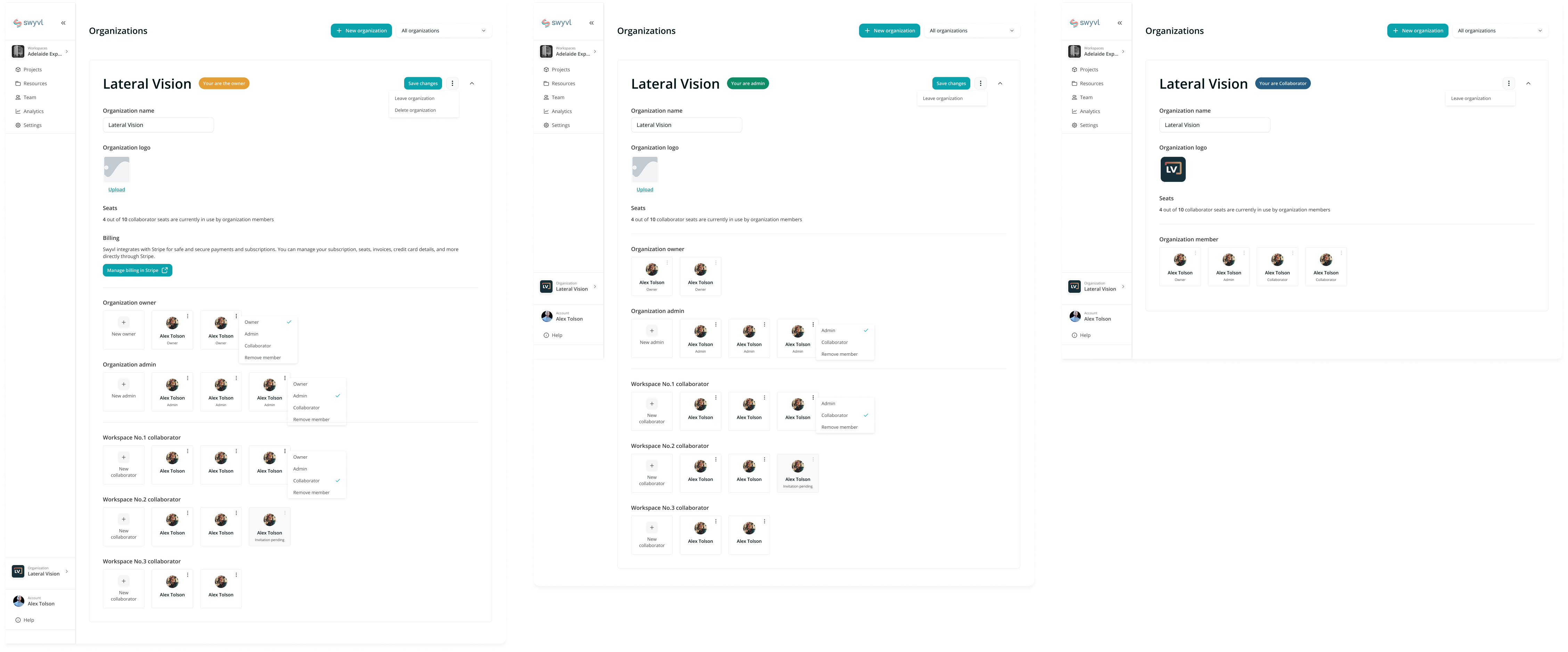
The complexity of organisation settings introduced challenges in designing role-based experiences (owners, admins, and collaborators) while keeping information clear and structured.

*Adding a new member to the organization user flow
Click the video below to watch the product demo.
The Swyvl builder lets users upload and organise diverse spatial data — including photos, plans, linework, and 3D models — into a single interactive workspace, enabling configurable virtual site views and efficient team access.
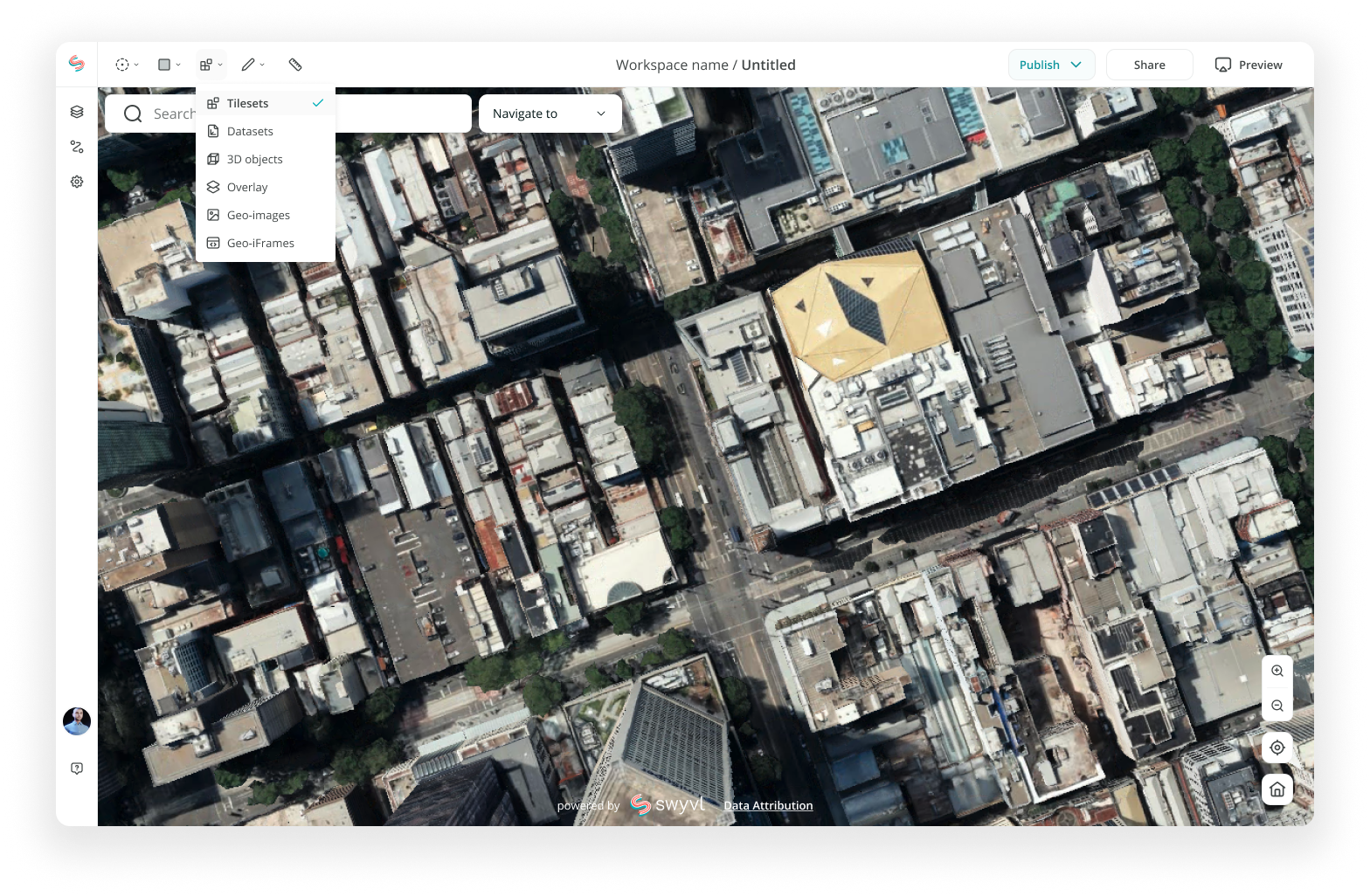
*Swyvl builder view - data tools dropdown
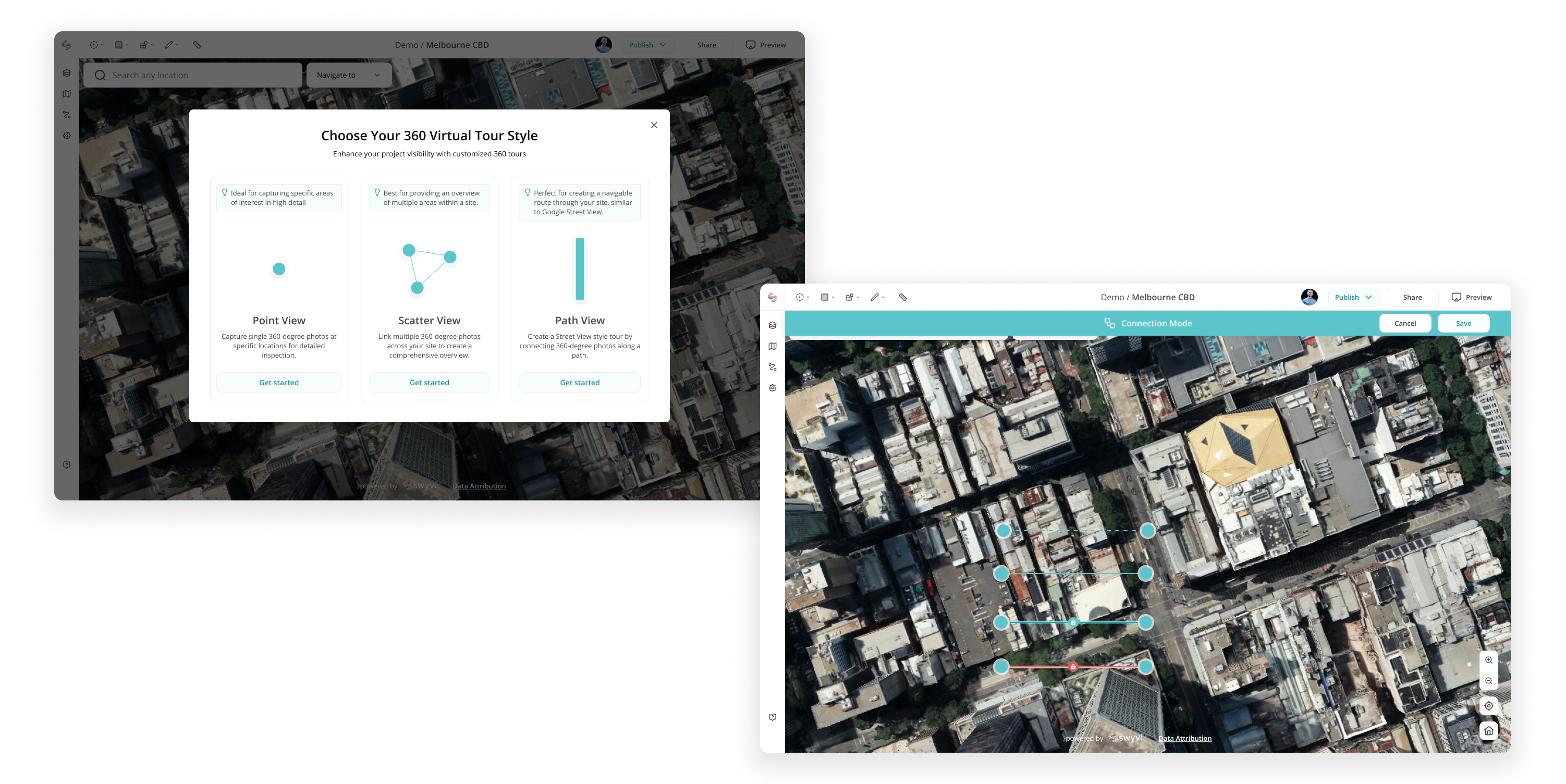
*Swyvl builder view - add 360 image modal & connection mode
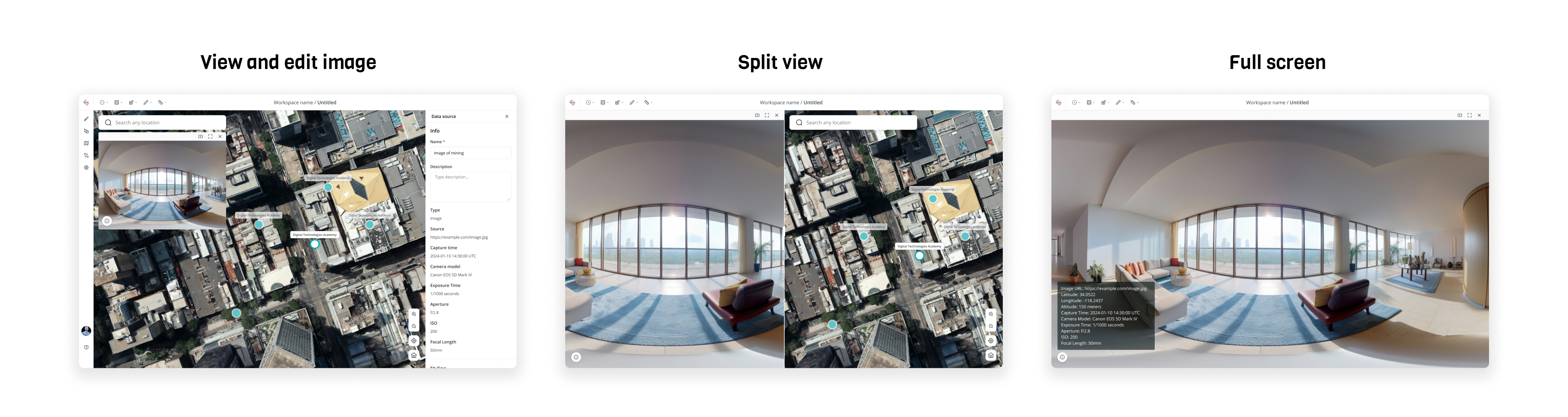
*Swyvl builder view - view and edit 360 image in different mode
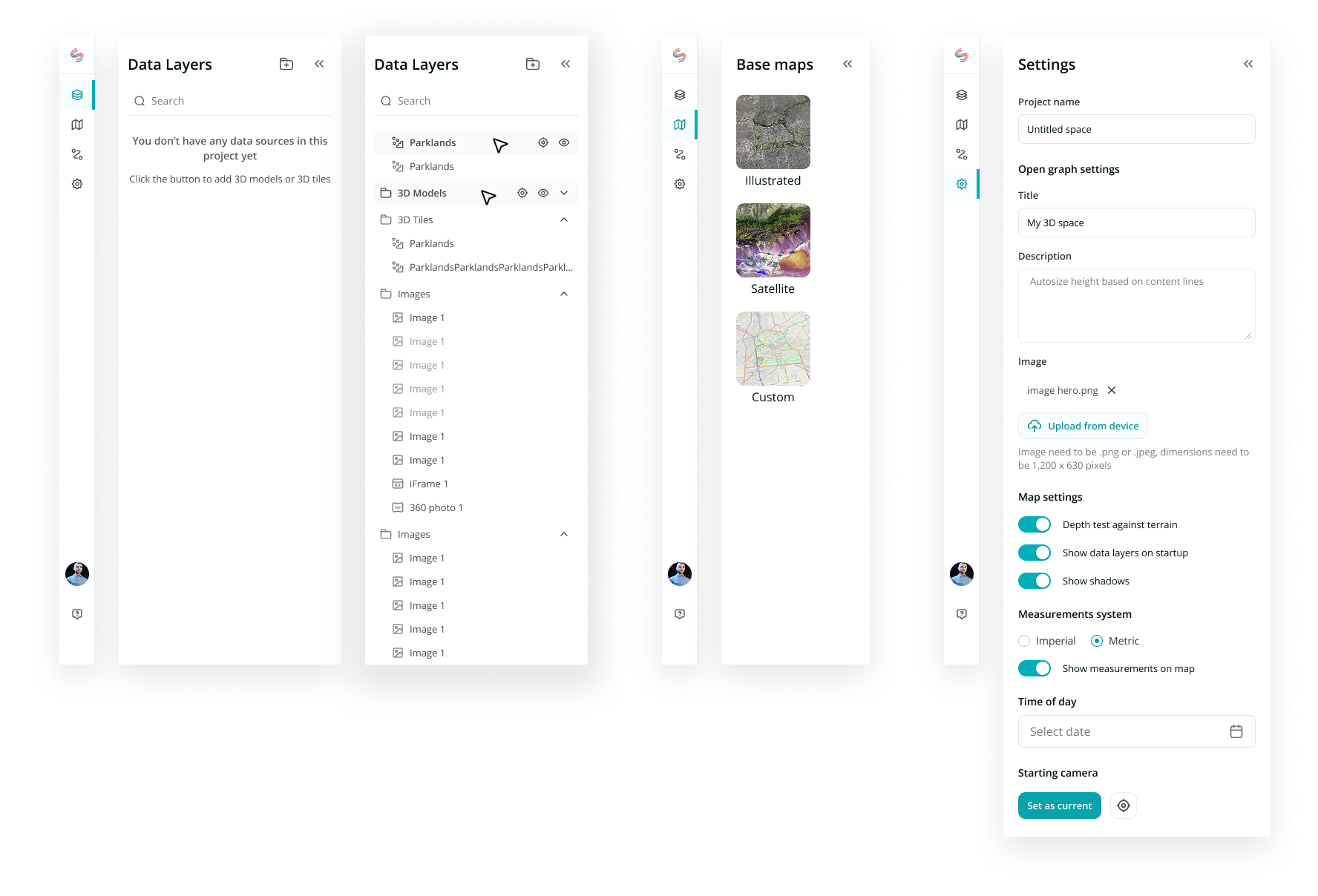
*Swyvl builder view - sidebar menu to manage data
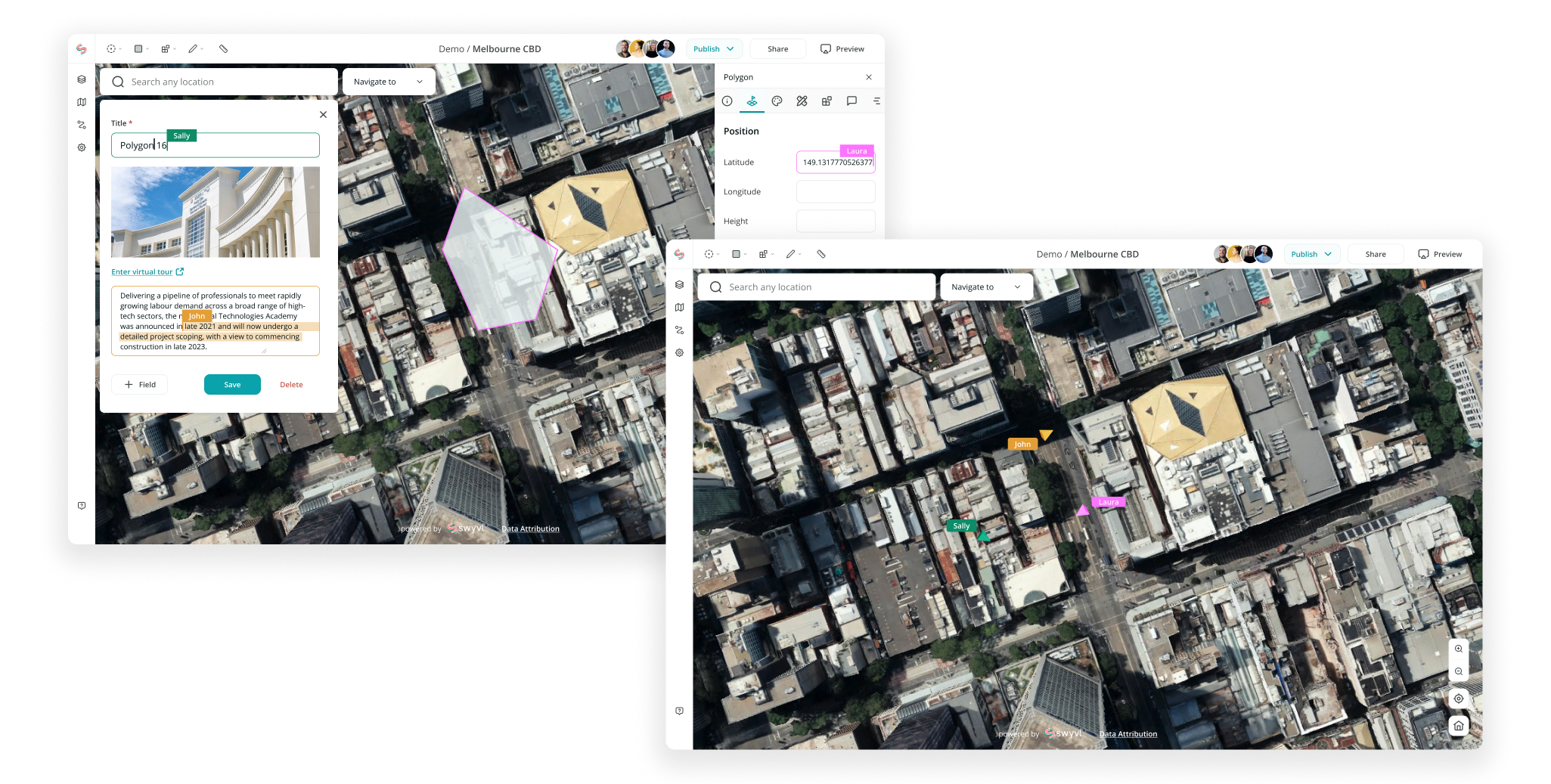
*Swyvl builder view - collaboration/multi-user design mockup
Click the video below to watch the product demo.
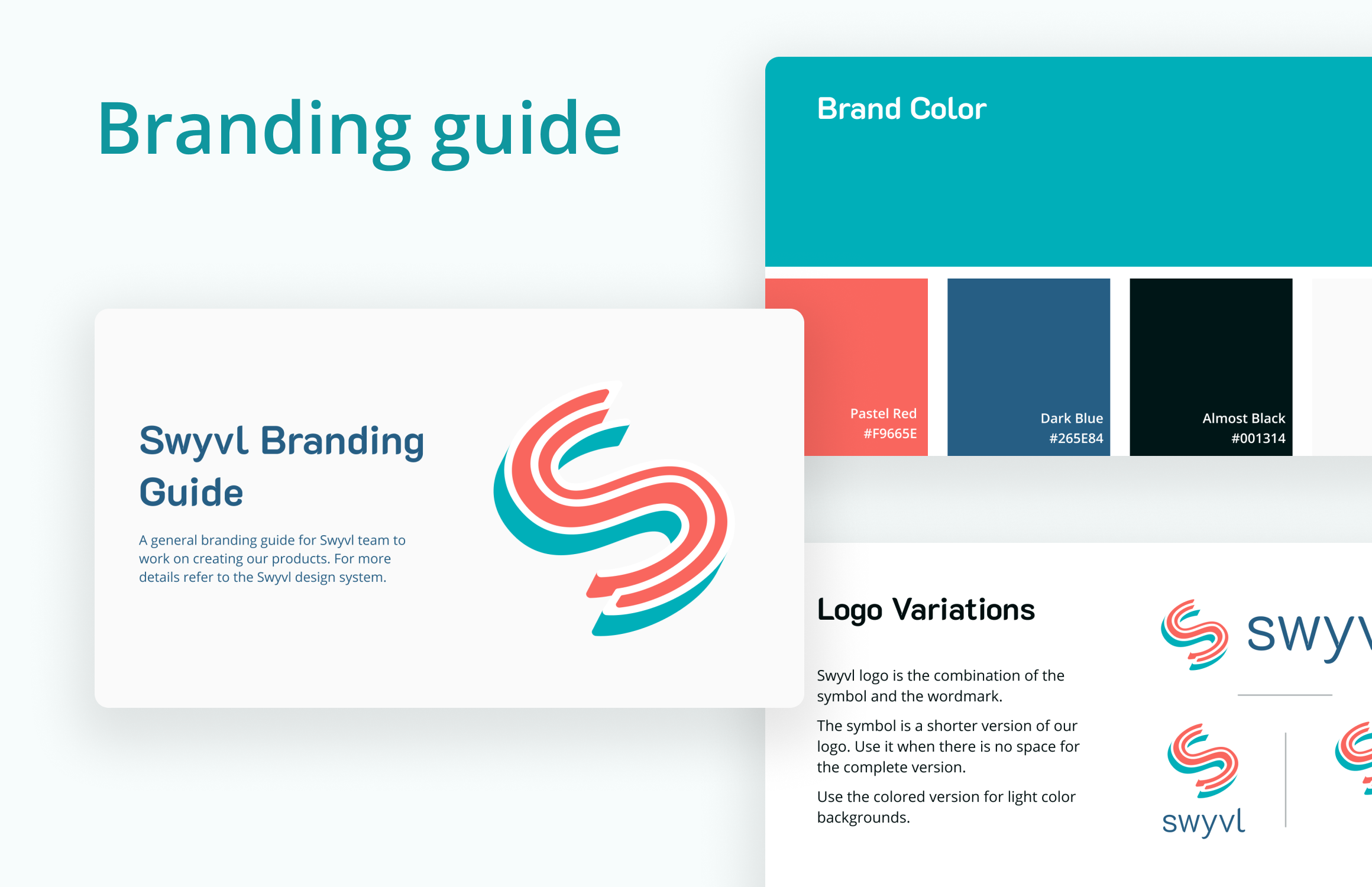
It was a phase one task when I joined the team at 2022. To establish the brand formally, we needed a comprehensive branding guide. At the time, we only had a logo and a color palette. Here is the branding guide I created using Figma:
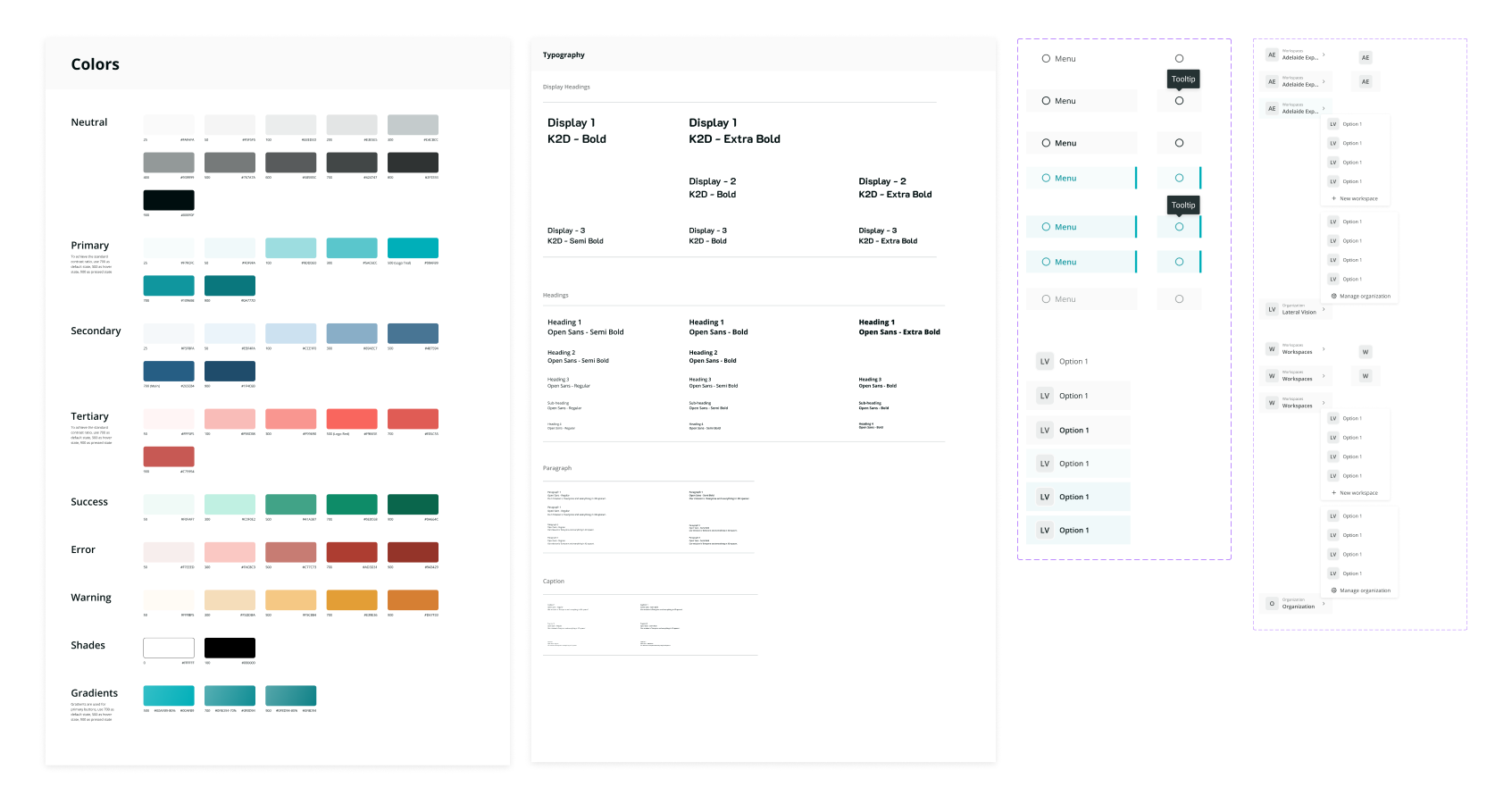
I created a style guide and component library that became a useful reference for both product and engineering teams — it was printed and kept on the office wall.
To improve file organisation and streamline handover, I used colour-coded Figma covers and labels to surface key information at a glance.
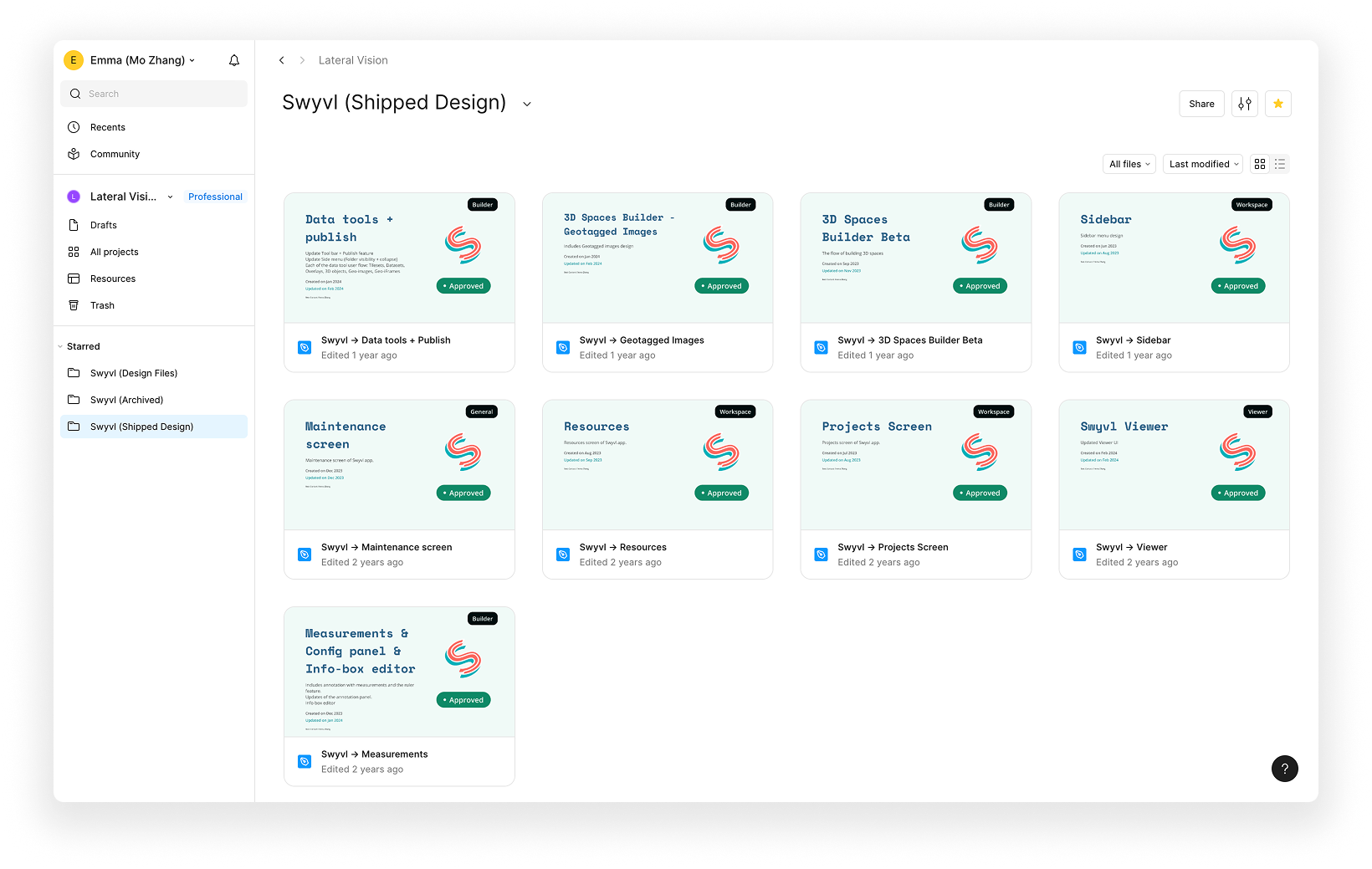
*Swyvl Figma project folder (shipped design files)